

|
Getting your Trinity Audio player ready...
|
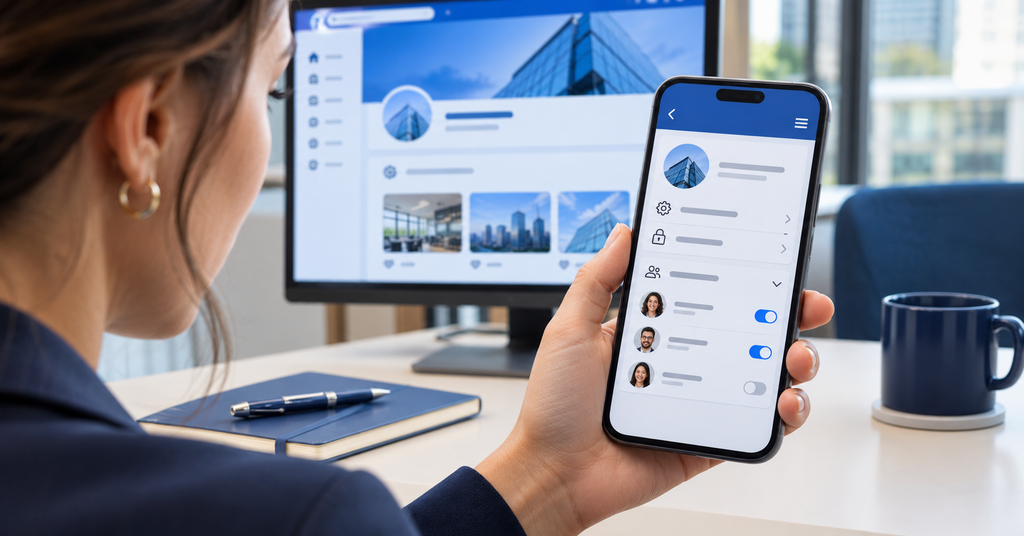
Business social media security can become complicated before anyone notices.
One employee sets up your Facebook Page. Another connects Instagram. An agency gets permission to run ads, and your LinkedIn Page still depends on the person who created it. Meanwhile, an old employee’s phone number remains listed as a recovery option.
As long as everything works, checking those details rarely feels urgent.
Then someone leaves, an agency contract ends, or an unexpected password-reset notification arrives. Suddenly, your team needs answers. Who controls the account? Which email address receives recovery messages? Can anyone restore access if the main administrator is unavailable?
A hacked business social media account can expose private messages, spread scams, and rack up unauthorized advertising charges. Customers may trust fraudulent posts because they appear to come from your company.
Protecting your accounts starts with knowing who controls them, limiting access, and preparing for problems before they happen.
Build an inventory of your business social media accounts
Start with a complete list of the social media accounts your business owns or manages.
Include your main company pages, along with location profiles, regional accounts, YouTube channels, advertising accounts, and older campaign pages. An account that your team rarely uses can still create problems if someone takes it over.
For each account, document the platform, page or profile name, public handle, person responsible, current administrators, recovery email, and recovery phone number. Include any linked advertising accounts or payment methods.
Record which agencies, contractors, scheduling platforms, and other applications can access the account, too.
When someone leaves or suspicious activity appears, this inventory gives your team a practical starting point. Your IT provider shouldn’t have to search old emails just to figure out who can sign in.
Store the inventory in an approved business location with appropriate access restrictions. Keep passwords and recovery codes in a business password manager rather than in the document.
Keep account ownership and recovery within the business
Employees sometimes create company social media accounts with their personal email addresses or mobile numbers. It may seem convenient during setup, especially when one person handles all the marketing.
That convenience becomes a problem when the employee leaves, changes their number, or loses access to their email.
For accounts that support business-controlled login and recovery details, use an email address and phone number the company can maintain through staffing changes. A dedicated, monitored administration mailbox can help, provided your business protects it with multifactor authentication and limits who can access it.
Some platforms work differently. LinkedIn Pages, for example, use administrators’ individual member profiles rather than a separate company login. In those cases, maintain appropriate access for more than one trusted employee instead of creating a shared personal profile.
Keep the group with account-management privileges small, but avoid depending entirely on one person.
Store backup codes securely wherever they apply. The only copy shouldn’t disappear with an employee’s personal phone or password manager.
Assign individual access instead of sharing passwords
When several people manage your social media, give each person their own authorized access wherever the platform supports it.
Sharing one username and password makes it harder to remove former employees, investigate activity, or control who can change account settings.
Major platforms offer alternatives. LinkedIn assigns Page roles to individual member profiles. X’s Delegate feature supports administrator and contributor access without sharing the account password. YouTube channel permissions also let people manage a channel without accessing the owner’s Google Account.
Facebook also provides Page access options for different responsibilities. Check the available permissions in your Page or business management settings before adding someone.
Individual access lets you remove one employee or agency without disrupting everyone else. Depending on the platform’s activity logs, it can also make account changes easier to trace.
Avoid sharing personal profiles. LinkedIn specifically prohibits sharing login credentials, which can result in account or content restrictions.
Strengthen Social Media Security with Limited Permissions
An employee who writes posts may have no reason to add administrators, update recovery details, or change payment methods.
Choose permissions based on the work each person actually performs. Your social media manager might need publishing and messaging access, while an analyst may only need reports. An advertising agency may need campaign permissions without broad control over your company’s other assets.
Reserve the highest access levels for a small number of trusted people. Review what those roles allow before assigning them, particularly when they include permission to manage other users or delete business assets.
Revisit permissions when responsibilities change. Someone who moved out of marketing last year may still have access simply because nobody thought to remove it.
Make multifactor authentication a requirement
Even a strong password can be stolen through phishing, malware, or a compromised website where someone reused it.
Multifactor authentication, or MFA, adds another step to the sign-in process. Require it for employees, contractors, and agency users who can manage your business social media accounts.
That includes people who only publish posts. Their individual accounts can still provide a route into your company page.
Choose phishing-resistant authentication, such as FIDO-based security keys or passkeys, where supported. These methods help prevent attackers from collecting usable credentials through a fake website. CISA recommends phishing-resistant MFA as the strongest approach.
If those options aren’t available, an authentication app is a practical alternative. SMS and email codes add protection compared with a password alone, although attackers can still target those methods.
Employees should also know what to do with an unexpected authentication prompt: reject it and report it. Approving a request just to make the notifications stop could let someone into the account.
Secure the mailbox linked to account recovery
Your recovery email account deserves the same attention as your social media login.
An attacker who controls that mailbox may be able to reset passwords, intercept security notifications, and approve account changes. They could then replace recovery details and make it harder for your business to regain access.
The Federal Trade Commission emphasizes protecting email with a strong password and two-factor authentication because of its role in recovering other accounts.
Use a unique password, enable MFA, and keep the mailbox’s own recovery options current.
If you suspect a compromise, ask your IT provider to review unfamiliar sign-ins, unexpected forwarding rules, and changes to recovery information. Resetting the social media password won’t solve the problem if someone still controls the recovery mailbox.
Recognize fake platform alerts and support scams
A message claims your Page violated copyright rules. Another warns that your account will disappear unless you verify your identity immediately.
These warnings can look convincing, especially when they include your business name, logo, or details from a recent post.
Some lead to fake login pages that collect passwords and verification codes. Others ask you to add a supposed support representative as an administrator.
Before responding, open the platform through its normal app or website. Check the relevant support, notification, or account-status area there.
Avoid signing in through links in unexpected emails, comments, or direct messages. Never send someone your password, backup codes, or authentication codes because they claim to work for the platform.
The Australian Signals Directorate’s April 2026 guidance specifically warns against sharing passwords or verification codes with accounts claiming to represent vendor support.
Check the tools and apps connected to your accounts
Scheduling platforms, analytics services, customer support tools, and advertising software can all connect to business social media accounts.
Those connections may allow a service to publish posts, read messages, or manage campaigns. If an attacker compromises the service or steals its access token, changing your social media password may not remove that access.
Review connected applications in each platform’s settings. Remove tools your business no longer uses, and investigate connections nobody recognizes.
For the tools you keep, compare their permissions with their purpose. A reporting service may only need analytics access. A scheduling platform may need publishing permissions. Broader access should have a clear business reason.
CISA’s social media protection guidance recommends restricting third-party applications, reviewing their permissions, and securing API credentials that let tools act for your organization.
Include social media in employee and agency offboarding
Removing social media access should be a standard part of offboarding.
When an employee, contractor, or agency stops working with your business, remove their Page roles, advertising permissions, delegated access, and access to connected tools.
If they knew a shared password, change it. Review active sessions and end any that no longer belong.
Check each service separately. An agency might have access through your company Page, advertising account, scheduling platform, analytics tool, and shared storage. Removing one connection may leave the others in place.
Confirm that recovery addresses and phone numbers remain under the appropriate control. An outdated phone number can become a security risk if the carrier later assigns it to someone else.
Monitor signed-in devices and account alerts
Review the devices and sessions associated with your accounts wherever the platform makes that information available.
Watch for unfamiliar devices, unexpected sign-in times, and locations that don’t match your team’s activity.
Location details aren’t always exact. Mobile networks, VPNs, and internet routing can make a legitimate session appear to come from another city. Treat an unfamiliar location as something to investigate rather than proof of a takeover.
Ask the relevant employee whether they recognize the session. If they don’t, sign it out, secure the affected account, and review recent activity.
Enable alerts for new logins and security changes where available. Make sure the responsible person receives those notifications and has a backup process for absences.
Review advertising permissions and payment settings
Social media account security also affects your advertising budget.
Check who can create campaigns, adjust spending limits, and manage payment methods. Remove outdated cards and payment accounts, and enable available spending or campaign alerts.
Review advertising permissions separately from public Page access. A former employee or agency may still have campaign access through an advertising account or business management system.
Ask the person reviewing company card statements to flag unfamiliar social media charges promptly. Even a small unexpected charge deserves attention because it could indicate unauthorized advertising activity.
Prepare a response plan for a hacked account
Decide how your business will respond before you face an account takeover.
Document who will contact platform support, who will secure the linked email account, and who can approve customer communications. Include a backup contact if the main administrator is unavailable.
Save official account-recovery links in your account inventory so employees don’t have to search for help under pressure.
If an account appears compromised and you still have access, use a trusted device to change its password and end unfamiliar sessions. If you’re locked out, follow the platform’s official recovery process.
Check for new administrators, altered recovery details, and unfamiliar connected applications. Secure the linked email account as well, and involve your IT provider if a device may be compromised.
Capture screenshots and record when suspicious posts, messages, campaigns, or account changes occurred. Preserve useful evidence while working to stop further activity.
If customers received fraudulent messages, warn them through a channel your business still controls. Explain which messages or links they should ignore.
Your plan should cover unauthorized access, compromised devices, fraudulent posts, and potentially exposed private communications.
Review Your Business Social Media Security Regularly
Review account ownership, administrators, connected tools, recovery details, and advertising permissions several times a year.
Repeat the check when someone changes roles, an employee leaves, or an agency relationship starts or ends. Platform updates can also change security settings and available permissions, so include those in your review.
Your team should be able to answer four questions without digging through old messages:
Who is responsible for each account? Who can access it? What protects that access? How would the business recover from a takeover?
Keeping those answers current helps protect your business social media accounts and gives your team a clearer path when something goes wrong. Contact Twintel to learn how stronger account security can help protect your business.

Twintel has grown into an expansive, full team of IT services professionals, acting as the outsourced IT department of non-profits, small to mid-size businesses, and enterprise-level corporations in Orange County, across California, and nationally.
Today, it’s the strength and deep expertise of the Twintel team that drives positive outcomes for clients. Each of the support staff, technicians, and engineers works diligently each day to make sure that the companies served have the seamless, secure, and stable IT environments needed to allow them to pursue their organizational objectives.